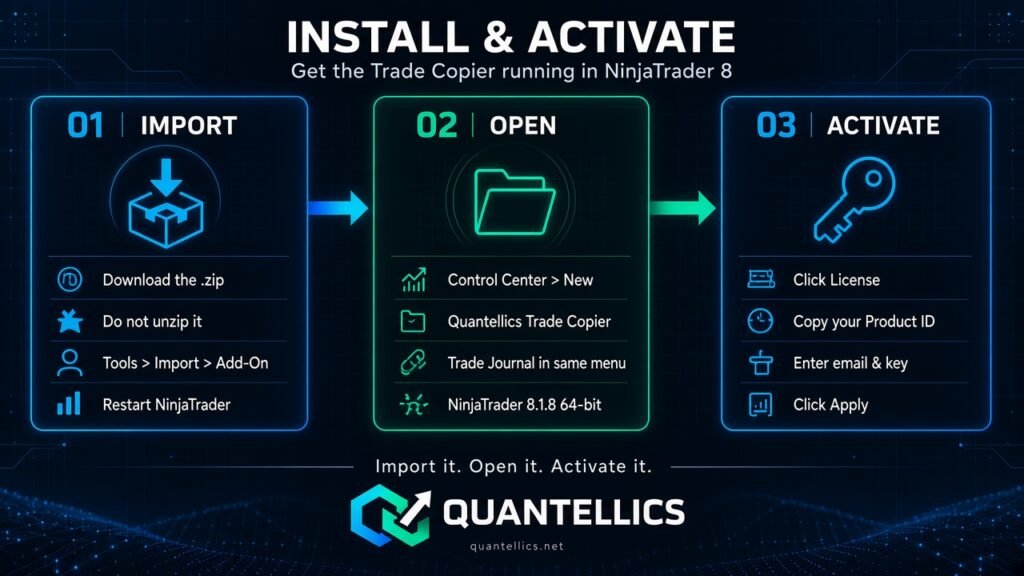
Get the Quantellics Trade Copier running inside NinjaTrader 8 Desktop in a few minutes.
Before you start
- NinjaTrader 8 Desktop installed, and the Control Center opens. NinjaTrader Desktop is Windows-based; Mac users normally run it through Parallels or a Windows VPS.
- The accounts you want to copy are connected in NinjaTrader.
- Minimum NinjaTrader version: NinjaTrader 8.1.8.x, 64-bit.
1. Import the add-on
- Download the Trade Copier .zip from your order (for example QuantellicsTradeCopier.zip). Do not unzip it.
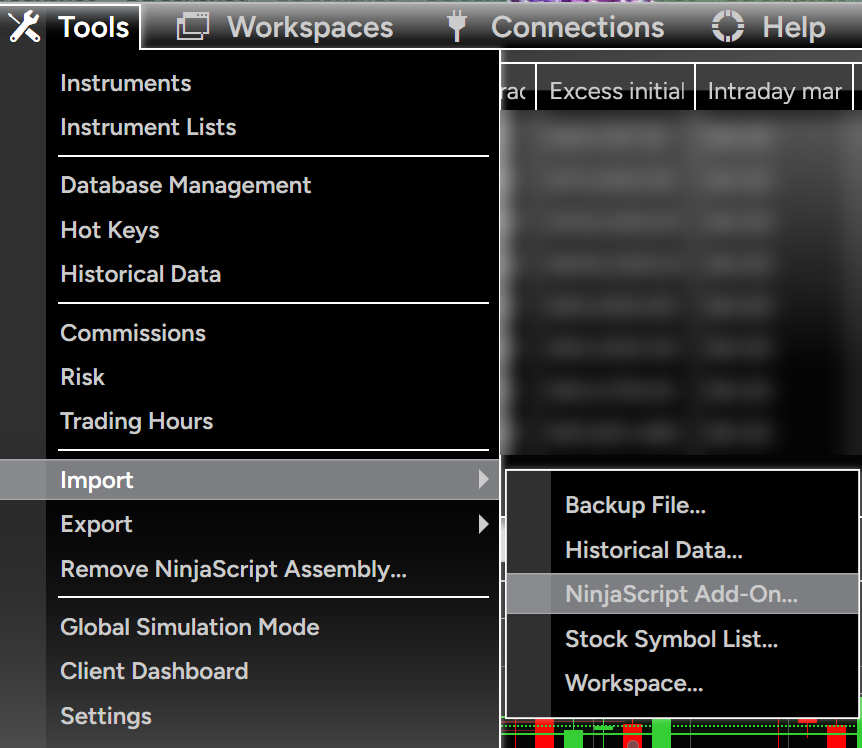
- In the Control Center choose Tools → Import → NinjaScript Add-On.
- Select the .zip, confirm the import and accept any NinjaTrader warnings.
- Wait for the import-completed message.
- Close NinjaTrader completely and restart it.
2. Open the copier
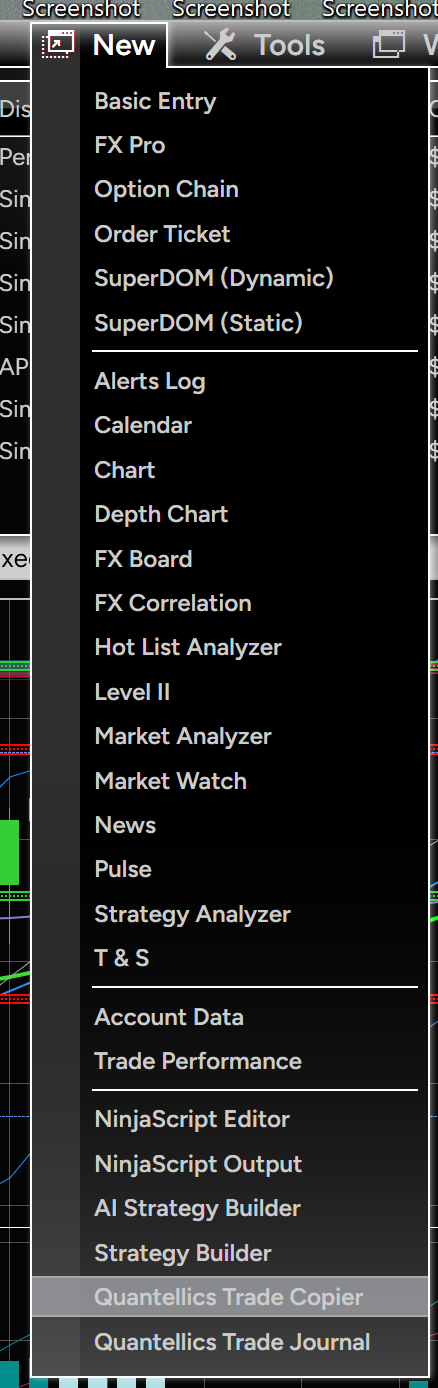
After the restart, open Control Center → New → Quantellics Trade Copier. The Quantellics Trade Journal appears in the same menu.
3. Activate your license
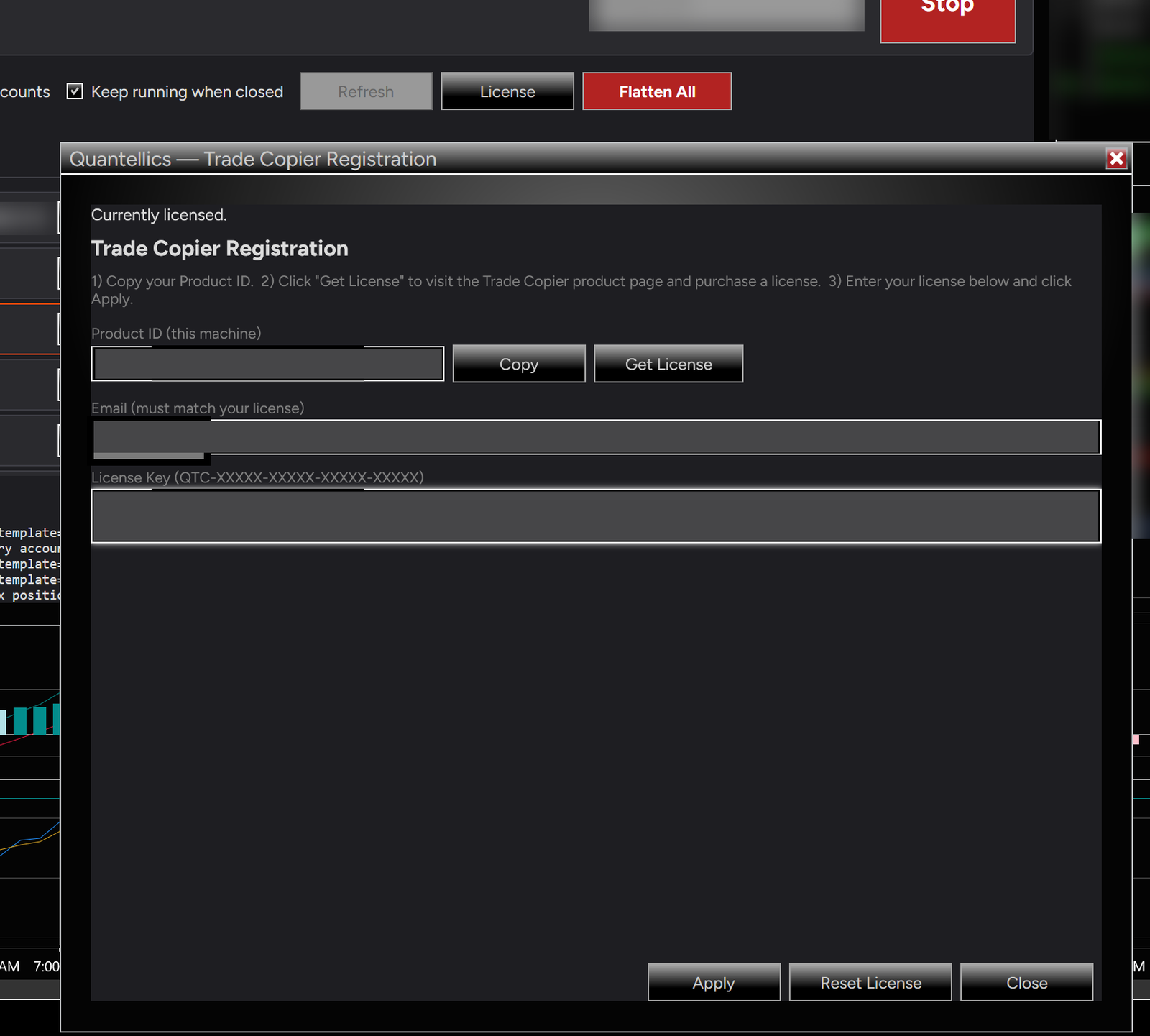
The Trade Copier is a one-time license with no recurring fees. In the copier window, click License to open the Trade Copier Registration dialog.
- Click Copy to copy your Product ID. It identifies this machine.
- Click Get License to go to the Trade Copier product page and buy a license.
- Enter the Email used for your license (it must match your license) and your License Key (format QTC-XXXXX-XXXXX-XXXXX-XXXXX), then click Apply.
The dialog shows “Currently licensed.” once activation succeeds.
Licenses and machines
Your license key is issued when you upgrade from the free evaluation to the paid version. Enter it in the Registration dialog as described above.
One license covers one machine and is not transferable. The license is activated against the Product ID of that machine.
For any licensing issue, contact support@quantellics.net.
Updating to a new version
Download the new .zip and import it the same way (Tools → Import → NinjaScript Add-On), then restart NinjaTrader. If NinjaTrader reports a conflict with an older version, use Tools → Remove NinjaScript Assembly to remove the old Quantellics assembly, restart, and import again.