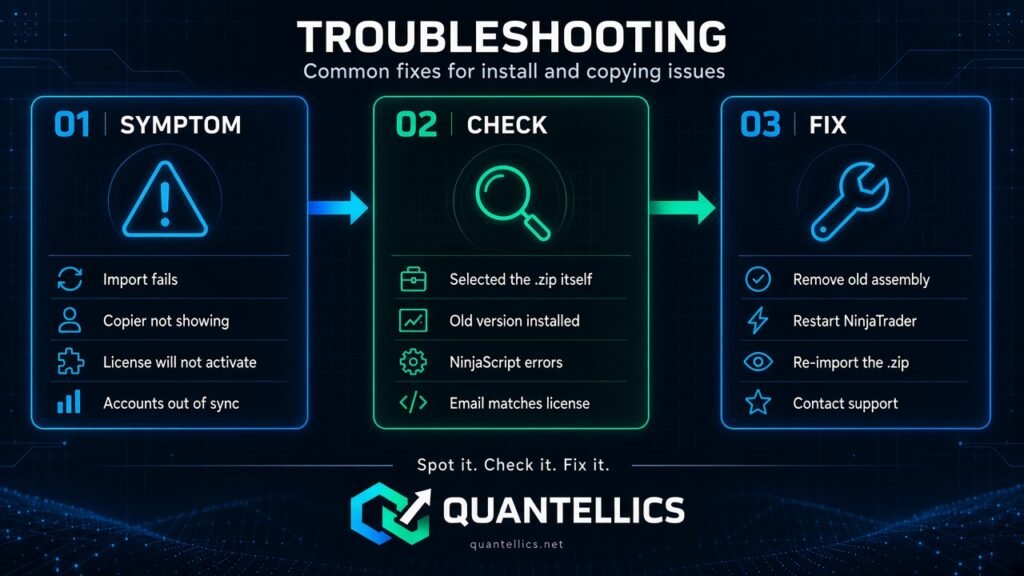
Common fixes for install and copying issues. If these do not help, contact support.
Import fails
- Don’t repeatedly reinstall the same file. Make sure you selected the .zip itself and did not unzip it.
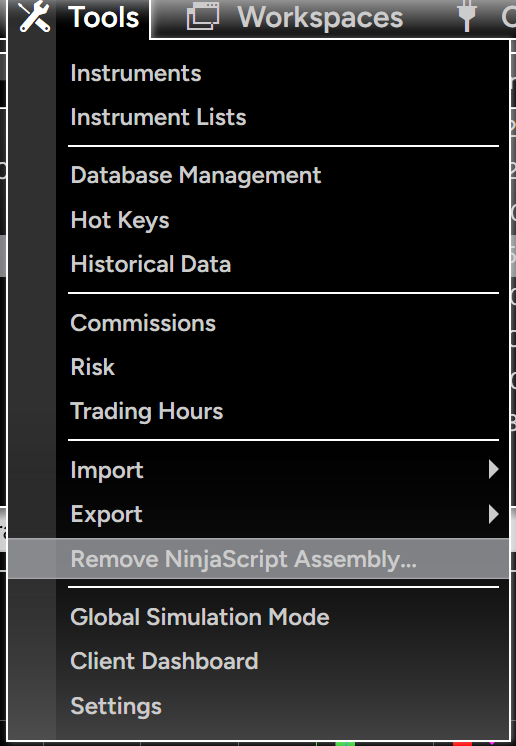
- Older version installed: Tools → Remove NinjaScript Assembly, remove the old Quantellics assembly, restart, then import the new version (see the screenshot below).
- Existing NinjaScript errors: open Control Center → New → NinjaScript Editor and check for compile errors from other custom indicators; they can block the import.
Copier not showing
- Restart NinjaTrader completely after importing.
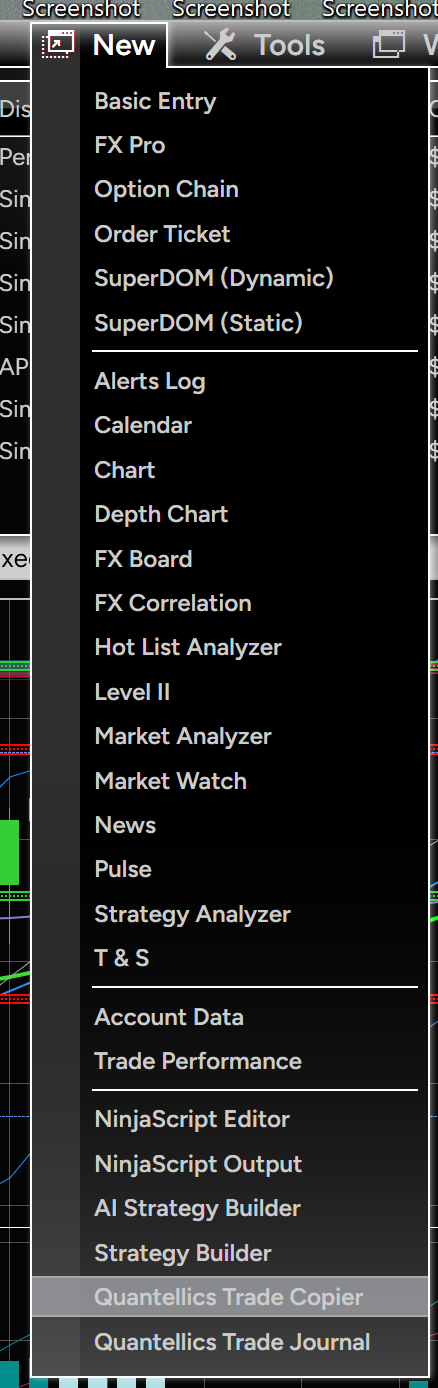
- Open Control Center → New → Quantellics Trade Copier (the Quantellics Trade Journal is in the same menu).
Removing an old version before reimporting
- In the Control Center choose Tools → Remove NinjaScript Assembly…
- Select the old Quantellics assembly and remove it.
- Restart NinjaTrader.
- Import the new .zip with Tools → Import → NinjaScript Add-On…
License will not activate
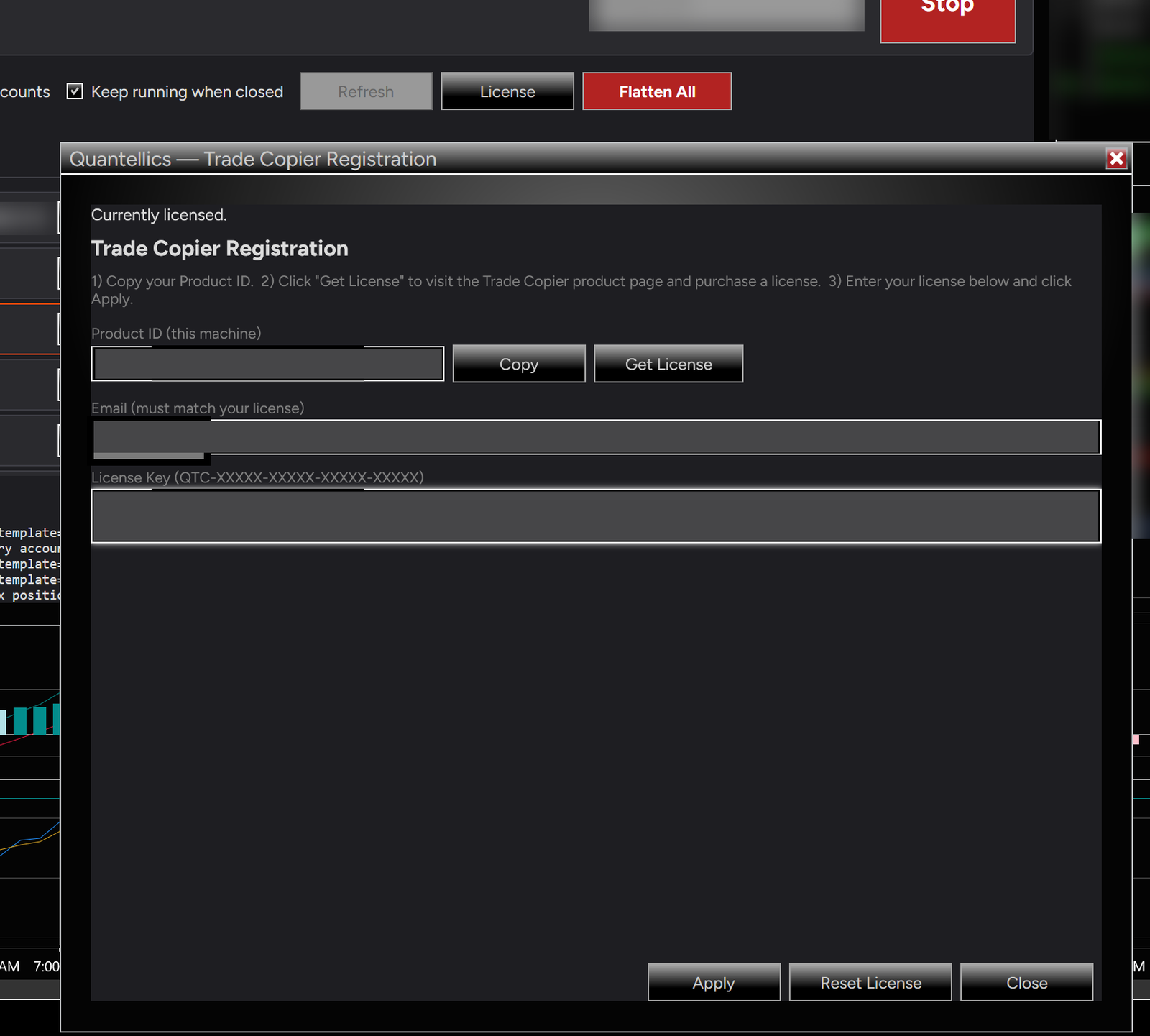
- Click License in the copier window to open the Registration dialog.
- The Email must exactly match the email on your license.
- Check the License Key is complete, in the format QTC-XXXXX-XXXXX-XXXXX-XXXXX, with no extra spaces, then click Apply.
- The license is tied to the machine’s Product ID. One license covers one machine and is not transferable.
- For any licensing issue or error message, contact support@quantellics.net.
A follower did not copy
- Check the follower’s connection is connected in NinjaTrader.
- Check buying power, account status and any prop firm restrictions on that account.
- Check the follower is selected and its size setting is not zero (plan sizes with the position size calculator).
- A rejected order on one follower is shown to you; correct the account and let the sync engine reconcile where supported.
Fills differ between accounts
Order fills, latency, account settings, buying power and connection status can cause differences between accounts. This is normal for any trade copier and does not mean the copier failed.
Still stuck?
Send us your NinjaTrader version, Trade Copier version and a description or screenshot of the issue. Support comes directly from the developer.